How to Use Non-Technical Methods to Enhance Privacy in Smart Home Environments
You can enhance smart home privacy without technical skills by using simple, effective habits. Cover cameras with sliding lenses under $10 and power down devices with switched outlets. Adjust placement-keep voice assistants away from private areas and point them toward walls. Mute mics after use and avoid sensitive talks near devices. Vary routines to disrupt data patterns. Check logs weekly to stay aware. You’ll find even small changes make a lasting difference.
Notable Insights
- Vary daily routines like wake-up times to disrupt data patterns and reduce predictability.
- Use physical barriers such as sliding lens covers and microphone mute switches to block sensing.
- Manually control lights and devices instead of relying on automated, data-driven responses.
- Position cameras and smart devices away from private areas like bedrooms and bathrooms.
- Educate household members and guests about device locations and active recording functions.
See What Your Devices Know About Your Habits
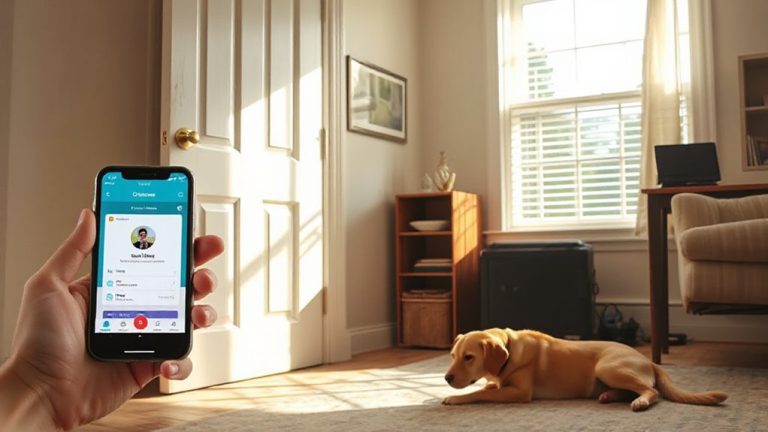
How much do your smart devices really know about your daily life? They track your routines through微博 device behavior and data patterns, learning when you wake, leave, or sleep. Most store this info to improve responses, but it can reveal more than you intend. You can review logs in your device’s app to see what’s collected-look for timestamps, voice snippets, or activity summaries. Some devices show detailed timelines, letting you spot unexpected data patterns. Checking these regularly helps you understand privacy risks. Pros: increased awareness and control. Cons: time needed to monitor; some data isn’t fully visible. No cost, but requires effort. Plan 10 minutes weekly. This habit strengthens your privacy without tech fixes. Knowing what your devices record is the first practical step toward managing smart home security. Integrating strong best security camera software can further protect your physical space while you audit digital habits.
Use Switches and Covers to Block Device Access
While smart devices offer convenience, they can also create openings for unwanted access if left constantly active. You can reduce risks using physical barriers like camera covers and power switches, which block access when devices aren’t in use. Sliding lens covers for webcams or smart displays cost under $10 and provide a simple, effective shield. Smart plug switches let you cut power remotely or manually, acting as manual overrides to disable mics and cameras instantly. These methods don’t rely on software updates or network security alone, offering stronger control. While physical barriers may require daily action, they’re reliable and immune to hacking. Manual overrides, such as power strips with switches, allow full device shutdown, preventing background data transmission. For best results, combine these with routine checks of device activity. They’re low-cost, easy to install, and improve confidence in your smart home’s privacy.
Change Simple Habits to Limit Data Collection
| Habit Shift | Privacy Impact | Ease of Adoption |
|---|---|---|
| Vary wake-up times | High | Medium |
| Manually control lights | High | Easy |
| Delay device responses | Medium | Easy |
| Rotate device usage | Medium | Medium |
These consistent adjustments limit how much data is generated. You don’t need special tools-just awareness. Over time, this approach weakens predictive algorithms. Start small, pick one habit, and build from there.
Teach Everyone in Your Home to Protect Privacy
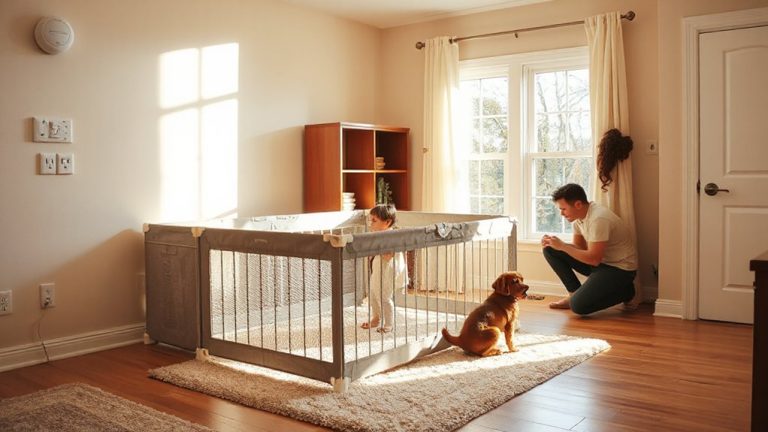
Why do some smart home defenses fail even when the technology works perfectly? Because people often overlook how behavior impacts privacy. You need everyone in your home to understand basic privacy practices. Start by adjusting family routines-simple actions like muting microphones after use or avoiding sensitive conversations near devices help. Children and adults alike should know which devices collect data and when. Also, consider guest awareness: visitors might unknowingly trigger recordings or voice assistants. Let them know where devices are and what they do. Posting a small guide near smart speakers can remind everyone without hassle. Training your household takes little time but strengthens your overall privacy. It’s a low-cost, high-impact step that complements technical fixes. When all members participate, your smart home stays both convenient and secure, reducing accidental data exposure through shared responsibility and awareness.
Place Devices Where They Watch Less of Your Life
Since smart devices often collect more data than you need for them to function, placing them thoughtfully in your home can considerably reduce unwanted surveillance. Strategic placement means positioning cameras, speakers, and sensors where they serve their purpose without capturing unnecessary personal moments. For example, avoid putting smart cameras in bedrooms or bathrooms-opt for entryways or garages instead. This gives you selective visibility: enough to monitor security but not your daily routines. Point voice assistants toward walls or corners to limit what they “see” if they have cameras. Even small adjustments, like raising a device’s angle, can shield private areas. These choices don’t require technical skills, just awareness. You maintain functionality while reducing data exposure. Over time, this minimizes privacy risks without sacrificing convenience. Simple, intentional decisions create meaningful protection. For guidance on selecting reliable monitoring options, consider reviewing the best home security cameras and features to look for before installing any system. best home security cameras
Turn On Offline Modes to Stop Constant Listening
You’ve already made progress by placing devices where they capture less of your private life, and now you can take further control by limiting how much they listen. Many smart speakers allow offline activation, meaning they only respond when physically triggered, not by voice. This reduces unintended recordings. You can also enable microphone deactivation, which disables audio input completely-look for a mute button or software setting. Some devices have indicator lights to confirm when mics are off. While offline activation limits convenience, it cuts data collection. Microphone deactivation offers stronger privacy but stops all voice functions. Check your device settings to see which options are available. Most brands, like Google and Amazon, support these features across current models. No extra cost is involved, just a few minutes to set up. Use these tools to decide exactly when your devices listen.
Audit Your Smart Home Like a Pro
How often do you check what your smart devices are actually doing behind the scenes? You should conduct regular audits to maintain control over your privacy. Start by creating a complete device inventory-list every smart speaker, camera, thermostat, and plug-in gadget. Then, use data mapping to track what information each device collects, stores, or shares. This process reveals hidden risks and helps you make informed decisions. Review app permissions and update settings to limit data flow. Below is a simple audit guide:
| Device Type | Data Collected |
|---|---|
| Smart Speaker | Voice commands, usage logs |
| Security Camera | Video footage, motion data |
| Smart Thermostat | Temperature, occupancy |
| Smart Plug | Power usage, on/off times |
Perform this audit every three months to stay protected.
On a final note
You can greatly improve smart home privacy without technical skills. Simple steps like using physical covers, adjusting device placement, and turning off microphones reduce data exposure. Teaching household members good habits guarantees consistent protection. Regular audits help identify risks. These strategies are low-cost, easy to adopt, and effective. Over time, they offer strong privacy benefits without sacrificing convenience.