How to Configure Smart Alarms to Contact Local Authorities Automatically
Choose a smart alarm with professional monitoring and direct emergency dispatch. Subscribe to a 24/7 service that uses cellular backup and is UL-certified for reliable alerts. Set up verified dispatch protocols so police or fire departments are contacted automatically. Use pet-friendly, dual-sensor tech and place devices away from vents and sunlight to reduce false alarms. Test your system monthly to confirm signals reach authorities. More details on optimizing each step follow.
Notable Insights
- Choose a smart alarm certified by recognized security organizations to ensure compatibility with local emergency services.
- Subscribe to a 24/7 monitoring service with UL-certified centers for reliable automatic contact with authorities.
- Enable emergency dispatch protocols in the system settings to allow immediate police or fire response.
- Verify that the alarm company is authorized to send alerts to local emergency services and has your correct address.
- Perform monthly system tests to confirm that alarm signals are properly transmitted and received by monitoring centers.
Choose a Smart Alarm That Can Contact Authorities Automatically
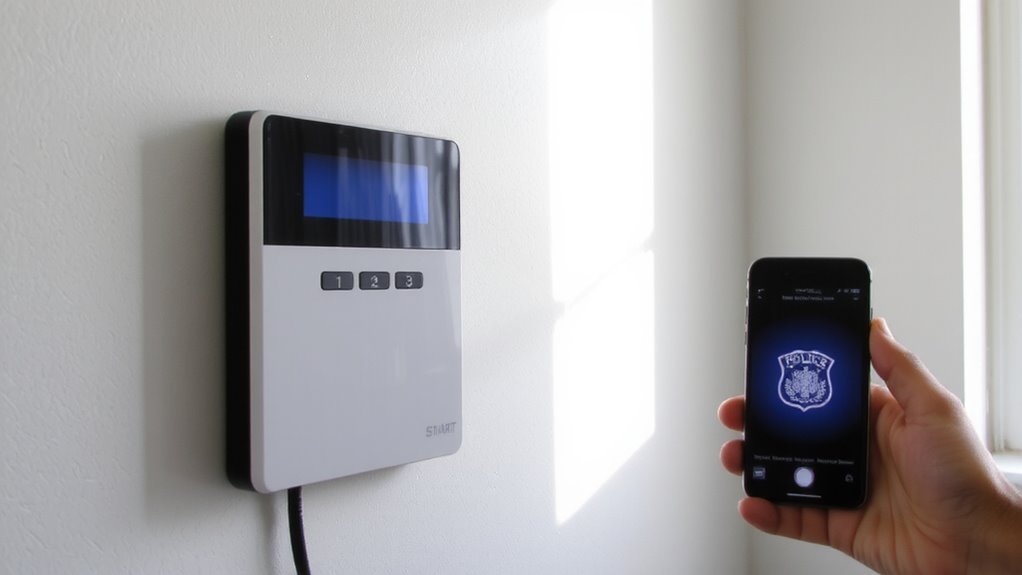
While not all smart alarms offer direct connections to emergency services, choosing one that does can substantially reduce response time during break-ins or emergencies-so it’s important to verify this feature before buying. You’ll want strong alarm integration with local authority protocols, guaranteeing your system can automatically alert police or fire departments when triggered. Look for models certified by recognized security organizations, as they follow standardized communication procedures. These systems use secure, encrypted signals to prevent false alarms and guarantee reliability. Though upfront costs may be higher, the investment pays off in faster emergency responses. Some devices require professional installation, which adds to the price but improves setup accuracy. Check compatibility with your home network and existing security equipment. Always confirm whether the alarm supports 24/7 monitoring and automatic dispatch without delays. Reading manufacturer specifications carefully helps you avoid gaps in protection. Some advanced systems now integrate with home security robots to enhance surveillance and response capabilities.
Subscribe to a Monitoring Service That Alerts Police and Fire
A reliable monitoring service is essential if you want your smart alarm to alert police and fire departments the moment an emergency is detected. You need service reliability to guarantee the signal reaches professionals 24/7, even during power outages or internet disruptions. Top providers use cellular and battery backups to maintain connection, so verify these features before signing up. Subscription flexibility matters too-some plans let you cancel anytime, while others require contracts. Monthly fees typically range from $20 to $50, depending on response speed and added features like video verification. Look for UL-certified centers, which meet strict industry standards for response. Avoid services with poor customer reviews or frequent downtime. With the right plan, you gain fast emergency dispatching, continuous monitoring and peace of mind knowing help is always just seconds away.
Set Up Emergency Alerts So Help Is Dispatched Immediately
You’ve chosen a monitoring service that connects your smart alarm to emergency responders, but setting up the system to dispatch help immediately requires more than just a subscription. You need to enable emergency protocols that trigger a rapid dispatch when alarms activate. Make sure your contact information, including phone numbers and physical address, is current in the system. Verify that emergency services have your alarm company’s authorization to receive automated alerts. Most systems let you assign emergency contacts who get notified alongside authorities. Enable 24/7 professional monitoring, as self-monitored systems don’t guarantee rapid dispatch. Confirm your provider uses verified signals-like dual-sensor triggers-to reduce false dispatches. Test the alert flow quarterly to guarantee reliability. A well-configured system cuts response times by up to 60 seconds, which can make a critical difference. Always review pricing for premium response features, as they may cost extra.
Adjust Sensors to Prevent False Alarms and Ensure Fast Response
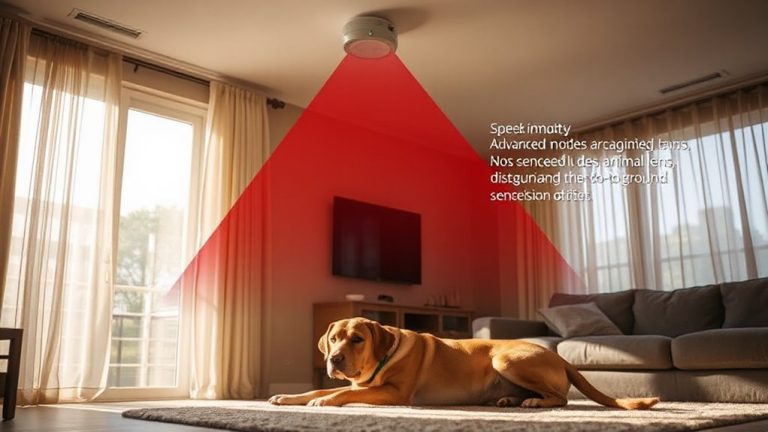
Because false alarms can delay emergency response and lead to dispatch fatigue, fine-tuning your sensors is essential for both reliability and speed. You should adjust sensitivity settings to improve sensor accuracy, especially in high-traffic or temperature-variable areas. Using motion detectors with pet immunity prevents triggers from animals under 40 pounds, reducing unnecessary alerts. Place door and window sensors to avoid vibrations from slamming or wind, which can compromise response time. Dual-technology sensors-combining motion and heat detection-require both signals to trigger, increasing accuracy. Avoid placing sensors near vents or direct sunlight to prevent environmental interference. Adjusting detection range and angle guarantees coverage without overreach. Regularly clean sensor lenses to maintain peak performance. Testing placement during installation helps identify weak spots. High sensor accuracy means fewer false alarms, so authorities respond faster when truly needed. A well-calibrated system balances security with efficiency, saving time and resources. Top-rated systems often feature dual-technology sensors for enhanced reliability in diverse environments.
Test Your System Monthly to Confirm Authorities Will Be Notified
After fine-tuning your sensors to reduce false alarms and maintain system accuracy, the next step is making sure those adjustments hold up under real conditions-this means testing your smart alarm system every month. You should trigger a test alarm to verify that alerts reach local authorities promptly and correctly. This routine check guarantees system reliability and confirms communication channels are functional. During the test, note response times and any error messages, since these help with response verification. Most security pros recommend scheduling tests at different times to simulate real scenarios. Check with your monitoring service to confirm they received the signal, and document results for future reference. If the system fails a test, inspect connections, software updates, or subscription status. Monthly testing costs nothing but prevents costly failures. It’s a simple step that strengthens your home’s protection plan markedly. Top-rated systems often include professional monitoring, ensuring faster response times during emergencies.
On a final note
You’ve set up a smart alarm that contacts authorities fast. Make sure your system includes professional monitoring, since self-monitored alarms don’t alert police automatically. Check that motion sensors and door contacts are correctly placed to reduce false alarms. Test monthly to confirm signals reach the monitoring center. Most systems cost $20–$50 monthly, with contracts often lasting three years. A reliable setup gives quicker emergency response.